


NexStar Evolution 9.25インチ SCT|CE-ASNE-12092
NexStar Evolution 9.25インチ SCT|CE-ASNE-12092
ネクスタ― エボリューション 9.25 エスシーティー
在庫切れ
受取状況を読み込めませんでした
2年保証(電子部品は1年)
スマホひとつで、宇宙を自在に。WiFiとバッテリーを内蔵した、次世代の9.25インチ。
- 無料のiOS/Android用アプリ「Celestron SkyPortal(SkySafari™採用)」を使用し、ワイヤレスでNexStar Evolution望遠鏡を制御・操作できます。
- 235mm(9.25インチ)口径のシュミットカセグレン鏡筒を採用。StarBright XLTコーティングを施し、Fastarシステムにも対応しています。
- 高性能なウォームギアと改良型モーターを搭載したコンピューター制御GoToマウントにより、追尾精度の向上とバックラッシュの低減を実現しています。
- リン酸鉄リチウムイオン充電池を内蔵し、1回の充電で最大10時間の連続観測が可能です。
- 手動クランプ、一体型キャリーハンドル、2つのアクセサリートレイ、およびスマートデバイス給電用のUSBポートを備えた、利便性の高い工業設計を採用しています。
Item#:CE-ASNE-12092
製品仕様
製品仕様
| 鏡筒情報 | |
|---|---|
| 光学設計 | シュミットカセグレン |
| 口径 | 235mm |
| 焦点距離 | 2350mm |
| 口径比 | f/10 |
| 接眼レンズ1 | 40mm(59倍) |
| 接眼レンズ2 | 13mm(180倍) |
| ファインダースコープ | レッドドットファインダー |
| スターダイアゴナル | 31.8mm スターダイアゴナル |
| 鏡筒材質 | アルミニウム |
| 最高有効倍率 | 555倍 |
| 最低有効倍率 | 34倍 |
| 極限等級 | 14.4 |
| 分解能(レイリー限界) | 0.59秒角 |
| 分解能(ドーズ限界) | 0.49秒角 |
| 集光力 | 1127倍(肉眼比) |
| 副鏡遮蔽 | 85mm(直径比36%、面積比13%) |
| 光学コーティング | スターブライトXLT |
| 鏡筒長 | 559mm |
| 鏡筒径 | 271.78mm |
| 鏡筒重量 | 9.07kg |
| ドブテイルバー | CG-5規格 |
| マウント・三脚情報 | |
| マウントタイプ | コンピューター制御経緯台式シングルフォークアーム |
| 最大搭載重量 | 11kg |
| 高さ調整範囲 | 1244.6mm - 1651mm(マウント・三脚含む) |
| 三脚脚径 | 50.8mm ステンレススチール |
| マウント頭部重量 | 7kg |
| 三脚重量 | 12.06kg |
| 旋回速度 | 9段階(最大4°/秒) |
| 追尾レート | 恒星、太陽、月 |
| 追尾モード | 経緯台、赤道儀(北半球/南半球 ※要ウェッジ) |
| 補助ポート | 4 AUXポート |
| USBポート | あり(ハンドコントロール入力およびマウント出力) |
| 電源 | 内蔵リン酸鉄リチウム電池(LiFePO4 / 9.6V、4.5Ah) |
| モーター | DCサーボモーター |
| アライメント手順 | スカイアライン、1星/2星/自動2星アライン、太陽系アライン、クイックアライン、ラストアライン |
| ハンドコントロール | 液晶ディスプレイ(2行×18文字)、19個のLEDバックライトボタン、USB 2.0ポート |
| データベース | 40,000個以上 |
| キット総重量 | 28.4kg |
| 補足情報 | |
| 太陽観測時の注意事項 |
|




Item:CE-ASNE-12092
WiFi内蔵によるモバイル操作: 統合された無線ネットワークを介し、iOS/Android用アプリ「SkyPortal」を使用してスマートフォンやタブレットから自動導入操作が可能です。
-
内蔵リチウムイオンリン酸電池: 外部電源や電池なしで最長10時間の連続観測が可能な大容量バッテリーを内蔵。他デバイスへの給電用USBポートも備えています。
-
235mm口径シュミットカセグレン光学系: 全ての光学面にStarBright XLTコーティングを施し、視覚観測と撮影の両面で明るくシャープな視界を提供します。
-
高剛性な三脚とマウント: CPCシリーズと共通の直径50.8mmステンレス製三脚を採用し、高い安定性を確保。人間工学に基づいた大型ハンドルにより、迅速な設置が可能です。
-
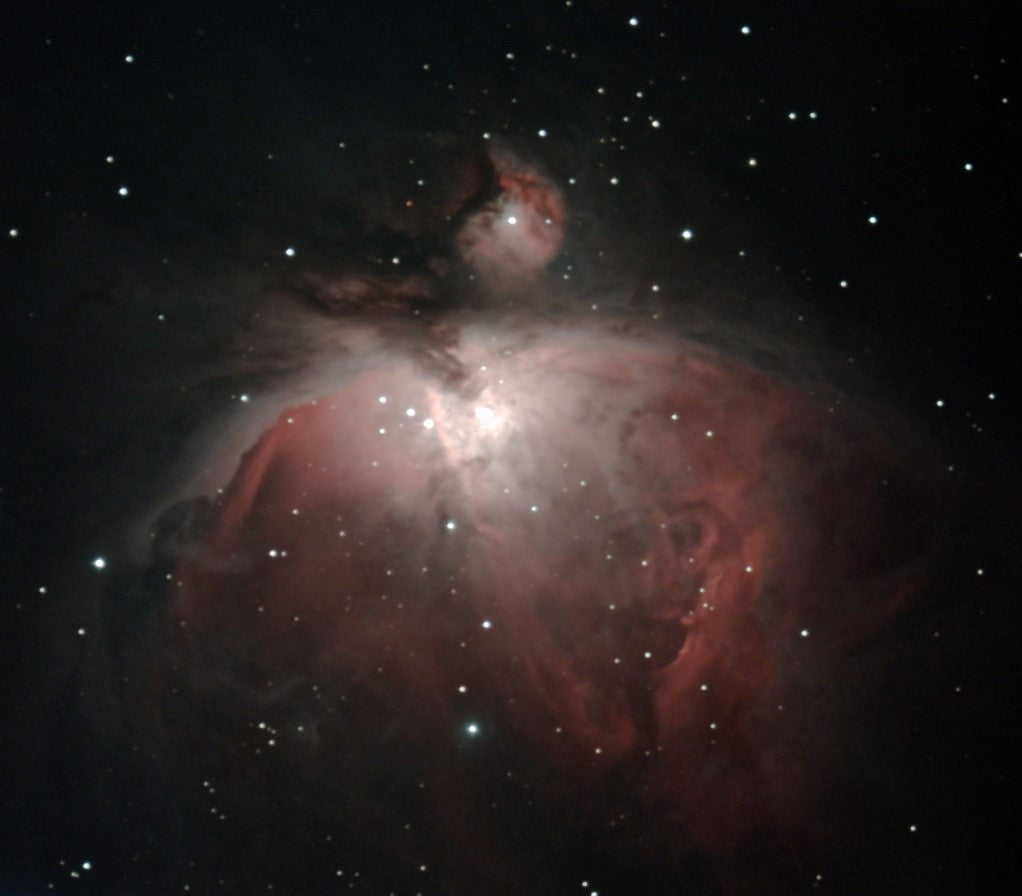
強化された駆動系と追尾精度: 同価格帯で唯一の真鍮製ウォームギアと改良型モーターを搭載。オリオン大星雲などの深宇宙天体の撮影にも対応する追尾精度を備えています。
-
手動クラッチ機能: 高度・方位の両軸に手動クランプを装備。電源オフの状態でも手動で鏡筒の向きを調整できる柔軟性を提供します。
-
充実した拡張性: マウント上下に計4つの補助(AUX)ポートを装備。将来的にPro HDウェッジを追加することで、より長時間の露光撮影にも対応可能です。
-
利便性の高いアクセサリートレイ: 最大7個の接眼レンズを収納可能な2つのトレイを装備。そのうち1つには赤色LED照明が内蔵されています。
-
高度なアライメント手順: SkyPortalアプリ内に独自のSkyAlign手順が組み込まれており、数分で観測準備を完了できます。
-
包括的な付属品構成: 1.25インチPlossl接眼レンズ2本、1.25インチスターダイアゴナル、StarPointerファインダースコープ、およびNexStar+ハンドコントロールが付属します。
Suggested Accessories
Categories
Q:
What is the heaviest recommend load for mounting a camera in the Fastar / HyperStar configuraton?
What is the heaviest recommend load for mounting a camera in the Fastar / HyperStar configuraton?
We recommend a load of no more than 25 lbs. at 4.2 inches away from the 9.25" Schmidt corrector.
Q:
Why doesn’t my red dot finderscope match the image on the box/website?
Why doesn’t my red dot finderscope match the image on the box/website?
Celestron is making a change to the finderscope shipped with some Celestron telescopes. In some cases, you may receive a finderscope that is different in appearance than the one pictured on the gift box, manual, Quick Setup Guide, or website. We apologize for any inconvenience this may cause. Rest assured that the finders are identical in performance and features. The main difference is the location of the battery compartment and, therefore, the battery installation instructions.
If your red dot finderscope looks like the unit pictured here, you can ignore this message.

If you received a red dot finderscope that looks like the unit pictured here, follow the instructions below to replace the battery:

1. The battery compartment on this finderscope is located on top of the unit. Use a Philips-head screwdriver to loosen the screw holding the battery door closed. The screw is captured and will not fall out when you open the battery door.

2. Lift the battery door open to expose the CR-2032 button battery.
3. With your fingernail on either side of the battery, pry the battery up and out of the battery compartment.
4. Place the new CR-2032 battery, positive (+) side up, under the two copper battery clips at the front of the battery compartment.


5. Press the battery down to snap it into the plastic battery clips on the opposite side of the battery.
6. Close the battery door and tighten the Phillips-head screw to secure the door in place.
Q:
I’ve heard there is a firmware update for NexStar Evolution. What’s it for, and should I install it?
I’ve heard there is a firmware update for NexStar Evolution. What’s it for, and should I install it?
Yes! This important update improves your NexStar Evolution mount’s tracking performance and electrical stability, along with helping to prevent potential motor control board issues seen in a small number of units. It also adds a new feature that shuts down auxiliary devices when the mount’s internal battery gets critically low. To make the update process quick and easy, our engineers created a special version of the Celestron Firmware Manager (CFM) just for Evolution owners. We recommend all NexStar Evolution owners install it by visiting celestron.com/evocfm
| Manuals: | |
|---|---|
| NexStar Plus Hand Control Manual | Download |
| Addendum for NexStar Evolution Telescopes | Download |
| NexStar Evolution Manual | Download |
| Schmidt-Cassegrain Optics Manual | Download |
| Software & Firmware: | |
| CPWI Software | Download |
| NexRemote Telescope Control Software | Download |
| Updating your NexStar Evolution mount with Celestron Firmware Manager (CFM) |
Download
In this document, we’ll review all the steps for updating a Celestron Evolution mount’s firmware with our tool, Celestron Firmware Manager (CFM). We’ve included separate instructions for Windows and MacOS. This document takes you to a special release of CFM exclusively for Evolution mounts. You need a wired connection to perform this update. Click for more details. |
| Other Product Files: | |
| SCT & EdgeHD Collimation Guide | Download |
| How to Align a Red Dot Finder to Your Telescope Video | Download |
| Solar Safety Warning | Download |
| What are the Sizes of Collimation Screws | View |
| Celestron NexStar+ Hand Control Troubleshooting Guide | Download |
シリーズ製品


関連リンク
外部サイトに遷移します