


NexStar 8SE SCT|CE-ASNS-11069
NexStar 8SE SCT|CE-ASNS-11069
ネクスター エイトエスイー エスシーティー
在庫あり 残り 2 個
受取状況を読み込めませんでした
2年保証(電子部品は1年)
セレストロン伝統のオレンジチューブを継承。203mm口径の光学性能と高度な自動導入機能を統合したポータブル・システム。
- 1970年代にアマチュア天文学に革命をもたらした、伝統的な203mm(8インチ)シュミットカセグレン望遠鏡。アイコニックな「オレンジチューブ」デザインに最新の機能を統合し、幅広い層の観測者に最適化されています。
- 203mmの大口径による高い集光力を備え、月や惑星の細部から、子持ち銀河(M51)やヘルクレス座の球状星団(M13)などの深宇宙天体まで鮮明な視界を提供します。
- 40,000個以上の天体データベースを収録した完全自動導入(GoTo)マウントを搭載。目的の天体を自動的に捕捉し、追尾を維持します。
- 「SkyAlign」技術の採用により、数分で観測準備が完了。夜空の知識がなくても、任意の3つの明るい天体を利用して正確なアライメントが可能です。
- 独自のシングルフォークアーム設計と堅牢なスチール製三脚を採用。各コンポーネントを分解できるため、可搬性に優れ、迅速な組み立てが可能です。
Item#:CE-ASNS-11069
製品仕様
製品仕様
| 鏡筒情報 | |
|---|---|
| 光学設計 | シュミットカセグレン |
| 有効径 | 203.2mm |
| 焦点距離 | 2032mm |
| 口径比 | f/10 |
| 接眼レンズ1 | 25mm(81倍) |
| ファインダースコープ | StarPointer レッドドットファインダー |
| スターダイアゴナル | 31.8mm スターダイアゴナル |
| 最高有効倍率 | 480倍 |
| 最低有効倍率 | 29倍 |
| 極限等級 | 14 |
| 分解能(レイリー限界) | 0.69秒角 |
| 分解能(ドーズ限界) | 0.57秒角 |
| 集光力 | 843倍(肉眼比) |
| 副鏡遮蔽 | 64mm(直径比31%、面積比9.77%) |
| 光学コーティング | StarBright XLT |
| 鏡筒長 | 432mm |
| 鏡筒径 | 232mm |
| 鏡筒重量 | 5.4kg |
| ドブテイルバー | CG-5規格 |
| マウント・三脚情報 | |
| マウントタイプ | コンピューター制御経緯台式シングルフォークアーム |
| 最大搭載重量 | 5.44kg |
| 高さ調整範囲 | 965.2mm - 1422.4mm(マウント・三脚含む) |
| 三脚脚径 | 38.1mm ステンレススチール |
| マウント頭部重量 | 5kg |
| 三脚重量 | 4.08kg |
| 旋回速度 | 9段階(最大5°/秒) |
| 追尾レート | 恒星、太陽、月 |
| 追尾モード | 経緯台、赤道儀(北半球/南半球 ※要ウェッジ) |
| オートガイドポート | あり |
| 補助ポート | 1 AUXポート |
| USBポート | あり(ハンドコントロール入力) |
| 電源 | 単3形電池8本(別売)または12V DCアダプター |
| モーター | DCサーボモーター |
| アライメント手順 | SkyAlign、1星/2星/自動2星アライン、太陽系アライン、EQ北/南アライン(ウェッジ使用時) |
| ハンドコントロール | 2行液晶ディスプレイ(18文字)、19個のLEDバックライトボタン |
| データベース | 40,000個以上(ユーザー定義200個) |
| キット総重量 | 14.51kg |
| 補足情報 | |
| 太陽観測時の注意事項 |
|


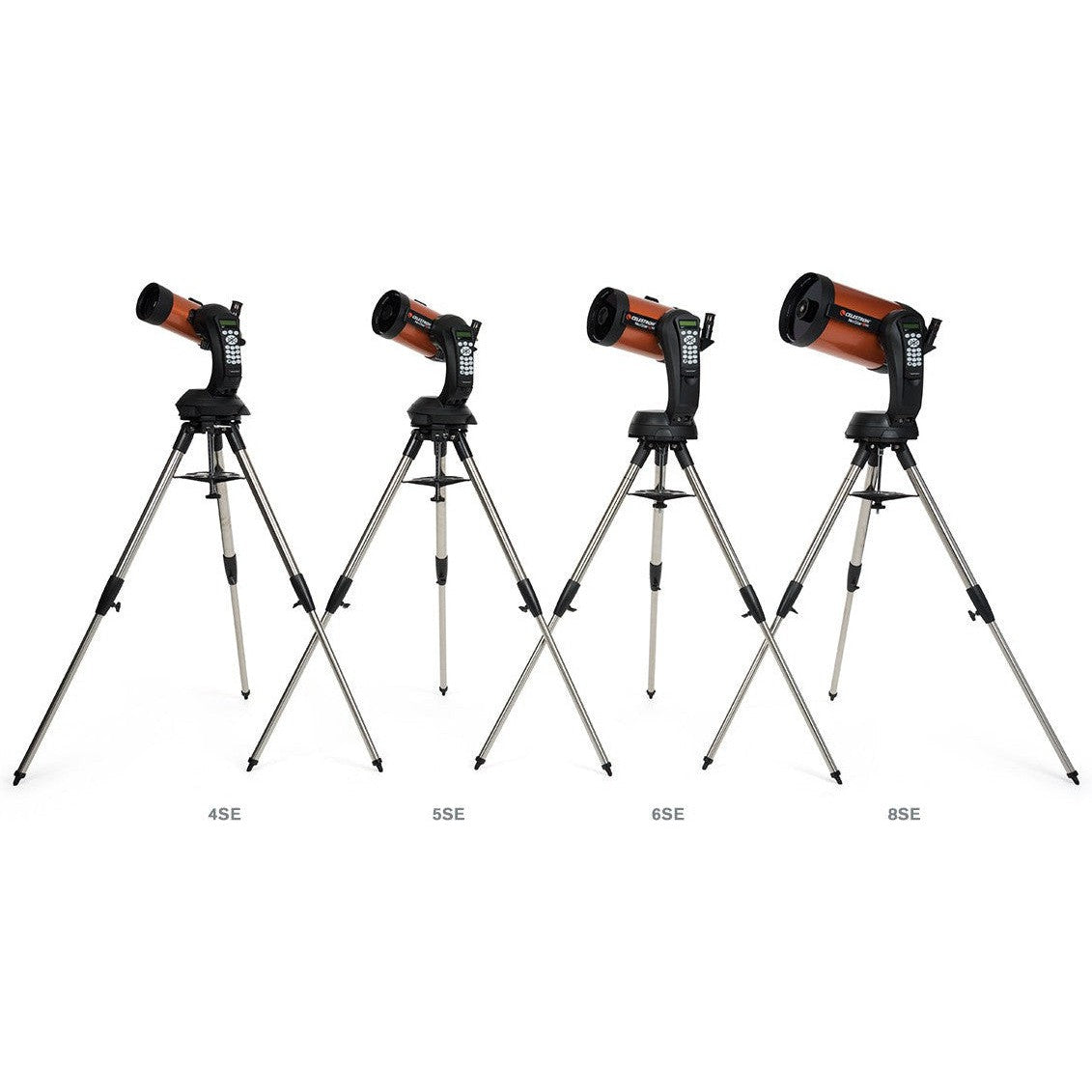


Item:CE-ASNS-11069
NexStar 8SE(ネクスター エイトエスイー)は、セレストロンを象徴する203mm口径のオレンジカラー鏡筒を採用したシュミットカセグレン望遠鏡です。StarBright XLTコーティングによる優れた光学性能と、40,000個以上の天体データを収録した自動導入経緯台を統合。特許取得のシングルフォークアーム設計により、高い可搬性と迅速なセットアップを実現しており、本格的な天体観測の導入に最適なモデルです。

象徴的なオレンジチューブ光学系:セレストロン伝統のカラーを採用した203mm口径シュミットカセグレン望遠鏡。高性能な光学系と操作性を両立。
伝統の継承と技術改善:創業者トム・ジョンソンによる独自のシュミット補正板製造プロセスを継承しつつ、21世紀の最新機能を付加。
高い集光性能:203mmの有効径により、土星のカッシーニの間隙や木星の大赤斑、子持ち銀河(M51)の渦巻腕などの詳細な観測が可能。
特許取得のシングルフォークアーム:迅速な組み立てと設置を可能にする独自設計のマウント。軽量かつコンパクトに分解でき、優れた可搬性を実現。
高精度な自動導入と追尾:高品質なコンポーネントにより正確な指向・追尾精度を確保。NexStar+ハンドコントロールから40,000個以上の天体へアクセス可能。
SkyAlign技術による簡易設定:3つの明るい天体を中央に入れるだけでアライメントが完了する、シンプルかつ迅速な初期設定手順を採用。
Fastar互換性:副鏡を取り外し、サードパーティ製レンズユニットを装着することで、超高速・広視野の天体撮影に対応。
StarSense AutoAlign対応:別売の自動アライメントカメラを装着することで、望遠鏡自体が自動で初期設定を行うアップグレードが可能。
先進のアクセサリー互換性:WiFiモジュール(SkyQ Link)によるiOSデバイスからの操作や、GPSユニット(SkySync)の追加に対応。
惑星イメージングへの適性:NexImageカメラシリーズとの併用により、高解像度な惑星写真撮影のプラットフォームとして機能。
Suggested Accessories
Categories
Q:
Why doesn’t my red dot finderscope match the image on the box/website?
Why doesn’t my red dot finderscope match the image on the box/website?
Celestron is making a change to the finderscope shipped with some Celestron telescopes. In some cases, you may receive a finderscope that is different in appearance than the one pictured on the gift box, manual, Quick Setup Guide, or website. We apologize for any inconvenience this may cause. Rest assured that the finders are identical in performance and features. The main difference is the location of the battery compartment and, therefore, the battery installation instructions.
If your red dot finderscope looks like the unit pictured here, you can ignore this message. 
If you received a red dot finderscope that looks like the unit pictured here, follow the instructions below to replace the battery: 
1. The battery compartment on this finderscope is located on top of the unit. Use a Philips-head screwdriver to loosen the screw holding the battery door closed. The screw is captured and will not fall out when you open the battery door. 
2. Lift the battery door open to expose the CR-2032 button battery.
3. With your fingernail on either side of the battery, pry the battery up and out of the battery compartment.
4. Place the new CR-2032 battery, positive (+) side up, under the two copper battery clips at the front of the battery compartment. 

5. Press the battery down to snap it into the plastic battery clips on the opposite side of the battery.
6. Close the battery door and tighten the Phillips-head screw to secure the door in place.
| Manuals: | |
|---|---|
| 【日本語】NexStar 6SE / NexStar 8SE クイックセットアップガイド | Download |
| NexStar Plus Hand Control Manual | Download |
| NexStar 6 SE and 8 SE Quick Setup Guide | Download |
| NexStar 6SE and 8SE Manual | Download |
| Schmidt-Cassegrain Optics Manual | Download |
| Software & Firmware: | |
| CPWI Software | Download |
| Celestron Firmware Manager (CFM) Software | Download |
| NexRemote Telescope Control Software | Download |
| Other Product Files: | |
| Celestial Observing | Download |
| Telescope Maintenance | Download |
| Astronomy Basics | Download |
| NexStar Communication Protocol v 1.2 | Download |
| How to Determine Which Eyepieces to Use with Your Telescope | Download |
| SCT & EdgeHD Collimation Guide | Download |
| NexStar SE Additional Specifications | Download |
| How to Align a Red Dot Finder to Your Telescope Video | Download |
| Solar Safety Warning | Download |
| NexStar SE Telescope Basic | Download |
| What are the Sizes of Collimation Screws | View |
| Celestron NexStar+ Hand Control Troubleshooting Guide | Download |
シリーズ製品


関連リンク
外部サイトに遷移します