


AstroFi 102 Wi-Fi マクストフ|CE-ASAF-22202
AstroFi 102 Wi-Fi マクストフ|CE-ASAF-22202
アストロファイ 102
在庫あり 残り 5 個
受取状況を読み込めませんでした
2年保証(電子部品は1年)
コンパクト、なのにパワフル。Wi-Fi操作で星空を冒険する、初めての一台に最適なスマートモデル。
- 102mm マクストフ・カセグレン式望遠鏡(フルコート光学ガラス採用)
- WiFi内蔵でスマートフォンから操作可能ー専用の無料アプリ「SkyPortal(Powered by SkySafari™)」を使い、お手持ちのスマートフォンやタブレットからコンピューター制御で望遠鏡を操作できます。
- 工具不要で素早く簡単なセットアップー組み立てに工具は一切必要ありません。準備に時間をかけず、すぐに観測を始められます。
- 付属品:接眼レンズ2本(25mmおよび10mm)、天頂ミラー、StarPointerファインダー、および新登場スマートフォンアダプター
- 高さ調整可能な三脚にアクセサリートレイ付属
Item#:CE-ASAF-22202
製品仕様
製品仕様
| 鏡筒情報 | |
|---|---|
| 光学系 | マクストフカセグレン |
| 口径 | 102mm |
| 焦点距離 | 1325mm |
| 口径比 | F13 |
| 接眼レンズ1焦点距離 | 25mm |
| 接眼レンズ1倍率 | 53倍 |
| 接眼レンズ2焦点距離 | 10mm |
| 接眼レンズ2倍率 | 132倍 |
| ファインダー | StarPointerファインダー |
| 天頂プリズム | 天頂ミラー(31.7mm径) |
| 鏡筒 | アルミニウム |
| 有効最大倍率 | 241倍 |
| 有効最低倍率 | 15倍 |
| 極限等級 | 12.5 |
| 分解能(レイリー) | 1.37秒角 |
| 分解能(ドーズ) | 1.14秒角 |
| 集光力 | 肉眼の212倍 |
| 中央遮蔽 | 35mm |
| 中央遮蔽率(直径比) | 34% |
| 中央遮蔽率(面積比) | 12% |
| コーティング | フルコート |
| 鏡筒長 | 381mm |
| 鏡筒径 | 117mm |
| 鏡筒重量 | 2.7kg |
| アリガタレール | CG-5(幅狭) |
| 架台情報 | |
| 架台タイプ | コンピューター制御自動導入経緯台 |
| 搭載可能重量 | 3.6kg |
| 高さ調整範囲(架台・三脚含む) | 863.6mm - 1371.6mm |
| 三脚脚部径 | 31.75mmアルミニウム |
| 架台重量 | 2.3kg |
| アクセサリートレイ | あり。滑り止め加工が施されたスマートフォンおよびタブレット用ホルダーを含む。 |
| 三脚重量 | 2.3kg |
| 旋回速度 | 最大旋回速度毎秒3度 |
| 追尾レート | 恒星時、太陽、月 |
| 追尾モード | 経緯台、北半球および南半球 |
| GPS | なし |
| アリガタレール互換性 | CG-5(幅狭) |
| アクセサリーポート個数 | AUXポート2個(オプションアクセサリー用) |
| オートガイドポート | なし |
| USBポート | なし(オプションのNexStar+リモートでのみ使用可能) |
| 電源 | 12V DC、1A(センタープラス) |
| モータードライブ | DCサーボモーター |
| アライメント手順 | スカイアライン、3スターアライン、惑星アライン |
| ピリオディックエラー補正 | なし |
| コンピューター制御ハンドコントローラー | ハンドコントローラーは付属していません(別売オプション) |
| NexStar+データベース | オプションのNexStar+ハンドリモートで40,000以上の天体データベースを提供 |
| ソフトウェア | Celestron Starry Night Special EditionソフトウェアとSkyPortalアプリが付属。それぞれ10万個以上の天体データベースを利用可能 |
| 総重量 | 7.25kg |
| 付属品 | 鏡筒 架台と三脚 アクセサリートレイ 25mmと10mm接眼レンズ 天頂ミラー(31.7mm径) StarPointerファインダー バッテリーポーチ |
| 補足情報 | |
| 太陽観測時の注意事項 |
|


よく一緒に検討されている商品


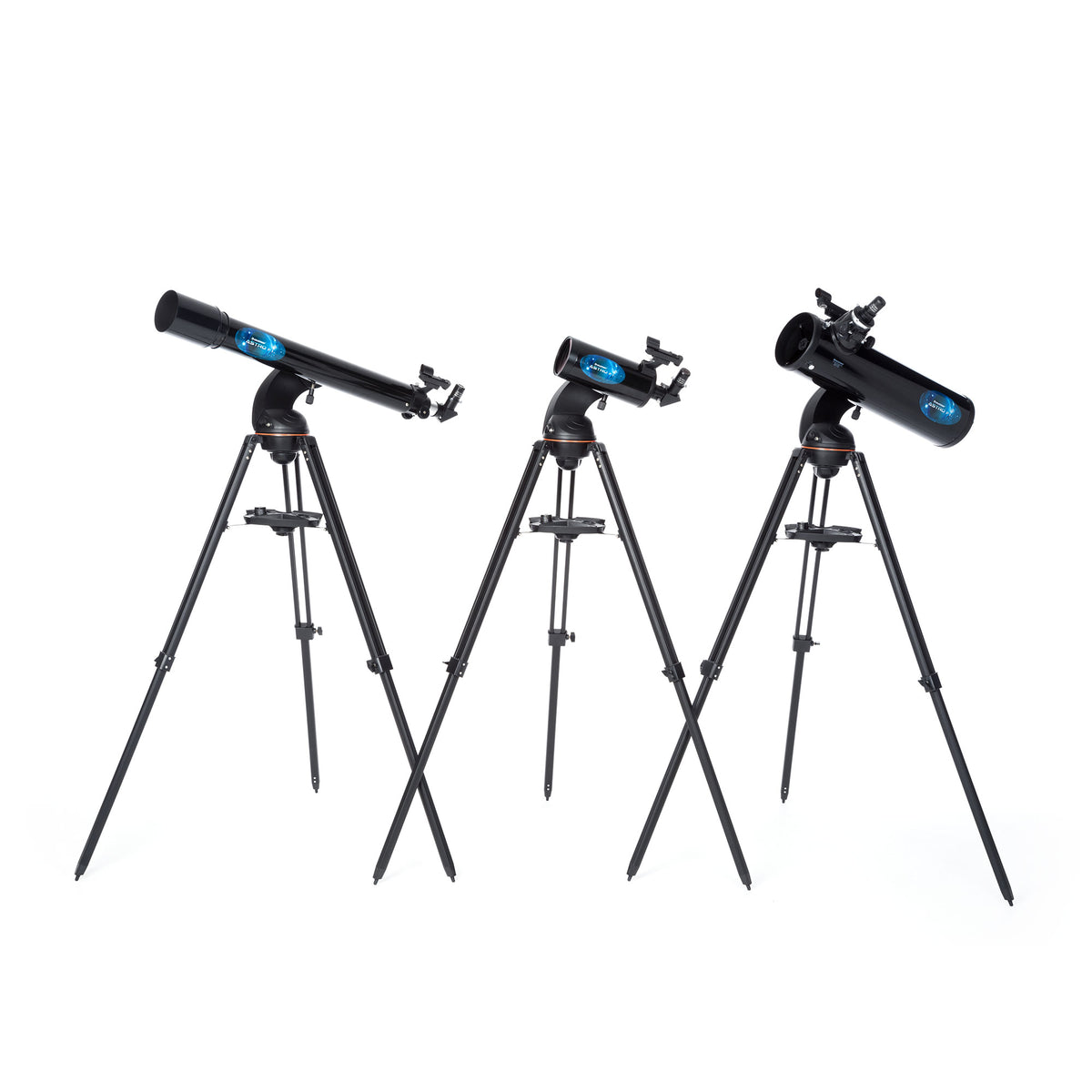
アストロファイ 102 は、コンピューター制御の経緯台式マクストフ・カセグレン望遠鏡です。非常にコンパクトで、地上観測から天体観測まで、どこへでも持ち出して楽しむことができます。夜空に向ければ、月面のクレーター、土星の環、木星の大赤斑、オリオン大星雲、ヘルクレス座の球状星団など、宇宙の驚異を目の当たりにできるでしょう。
マクストフ・カセグレン光学設計
マクストフ・カセグレンは「カタディオプトリック式」と呼ばれる望遠鏡の一種で、レンズとミラー(鏡)の両方を組み合わせた光学設計が特徴です。鏡筒に入射した光は、まず前面の「メニスカスレンズ」を通り、奥の「主鏡」で反射され、さらに球面の「副鏡」で跳ね返ってから接眼レンズへと届きます。この緻密な設計により、映し出される像は非常に明るくシャープで、色にじみ(色収差)もほとんど発生しません。

コンピューター制御式 経緯台
コンピューター制御による自動導入・追尾機能を備えた経緯台式望遠鏡です。上下・左右のあらゆる方向に自由に動かせる、直感的で分かりやすい設計を採用しています。
内蔵WiFi & Celestron SkyPortalアプリ
スカイアラインテクノロジー
充実の付属品
レンズキャップ兼用スマートフォンアダプター
天文シミュレーションソフト「Starry Night」
CelestronのStarry Nightソフトウェアをダウンロードして、夜空の仕組みや天体について学び、次の観測計画を立てましょう。Celestron Starry Nightは、市場で最高の評価を得ている本格的な天文ソフトウェア・パッケージです。太陽系内はもちろん、その遥か彼方の深宇宙まで、宇宙を深く知るための豊富なリソースと知識を提供します。
Suggested Accessories
Categories
Q:
Why doesn’t my red dot finderscope match the image on the box/website?
Why doesn’t my red dot finderscope match the image on the box/website?
Celestron is making a change to the finderscope shipped with some Celestron telescopes. In some cases, you may receive a finderscope that is different in appearance than the one pictured on the gift box, manual, Quick Setup Guide, or website. We apologize for any inconvenience this may cause. Rest assured that the finders are identical in performance and features. The main difference is the location of the battery compartment and, therefore, the battery installation instructions.
If your red dot finderscope looks like the unit pictured here, you can ignore this message. 
If you received a red dot finderscope that looks like the unit pictured here, follow the instructions below to replace the battery: 
1. The battery compartment on this finderscope is located on top of the unit. Use a Philips-head screwdriver to loosen the screw holding the battery door closed. The screw is captured and will not fall out when you open the battery door. 
2. Lift the battery door open to expose the CR-2032 button battery.
3. With your fingernail on either side of the battery, pry the battery up and out of the battery compartment.
4. Place the new CR-2032 battery, positive (+) side up, under the two copper battery clips at the front of the battery compartment. 

5. Press the battery down to snap it into the plastic battery clips on the opposite side of the battery.
6. Close the battery door and tighten the Phillips-head screw to secure the door in place.
| Manuals: | |
|---|---|
| Astro Fi Manual | Download |
| Software & Firmware: | |
| CPWI Software | Download |
| Celestron Firmware Manager (CFM) Software | Download |
| Other Product Files: | |
| Astro Fi Telescope Basic | Download |
| How to Determine Which Eyepieces to Use with Your Telescope | Download |
| How to Align a Red Dot Finder to Your Telescope Video | Download |
| Solar Safety Warning | Download |
シリーズ製品


関連リンク
外部サイトに遷移します